Packhouse Build Try it free

Wix App Market · for Wix Stores

Let customers build their own box, and fill it themselves.

They choose a box, dress it, fill it from your own products and add a message. It arrives in your basket as one line, at one price, and on your order as a list of exactly what is inside.

Free for 14 days. No card to start.

Your data stays in your own Wix site Three questions to set a box up No analytics, no trackers, no cookies added
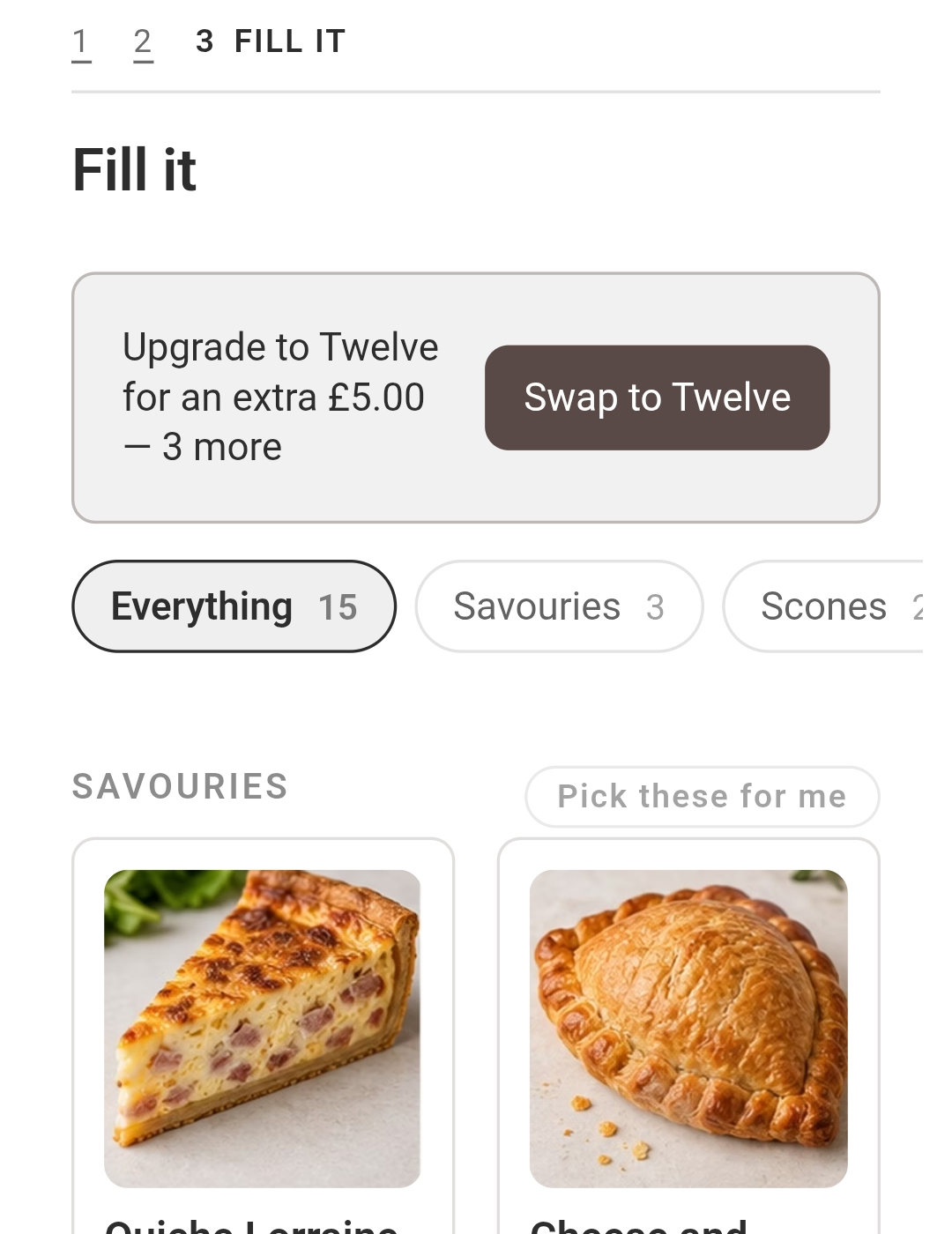
A box builder mid-fill: categories down the left, a grid of products with photographs, and a running total reading six of six chosen
Your products, your photographs, filled by your customer.

The problem

Every bundle app decides what goes in the bundle.

You pick six things, name it a gift box, and hope somebody wants exactly those six things.

So the shops that sell boxes do what they can.

They list twelve fixed hampers and keep eleven of them slow-moving.

They take “can I swap the gin for the coffee?” over email, one message at a time.

They sell a “build your own” that is really a text box, and read it at packing.

And the customer who wanted something specific buys nothing at all.

What it does

A box is a few questions, and you write them.

Four kinds of step cover every version of this — which box, a choice, the fill, and a message. Start from a ready-made box and change it, or build one from nothing.

Pick a size. Dress it. Fill it.

Your customer chooses how big the box is, adds whatever you offer to go round it — a ribbon, a card, a colour, wrapping — then fills it from your own products, with your own photographs, until it is full.

They can change their mind, which is the part most builders get wrong. A half-built box is remembered if they come back a day later. A finished one can be reopened from the basket and edited, rather than deleted and built again from the beginning.

  • Counted in places, not items. A celebration cake can take two places where a cookie takes one, so a box of eight holds four of them.
  • It cannot be overfilled or half-filled. The box has to be exactly full before it can be bought, so nobody pays full price for nine things out of twelve.
  • Fill the rest for me. Offer to finish the box for them, for the whole thing or one category at a time.
  • A message, only when it applies. Ask what to write in the card, and only of somebody who asked for a card.
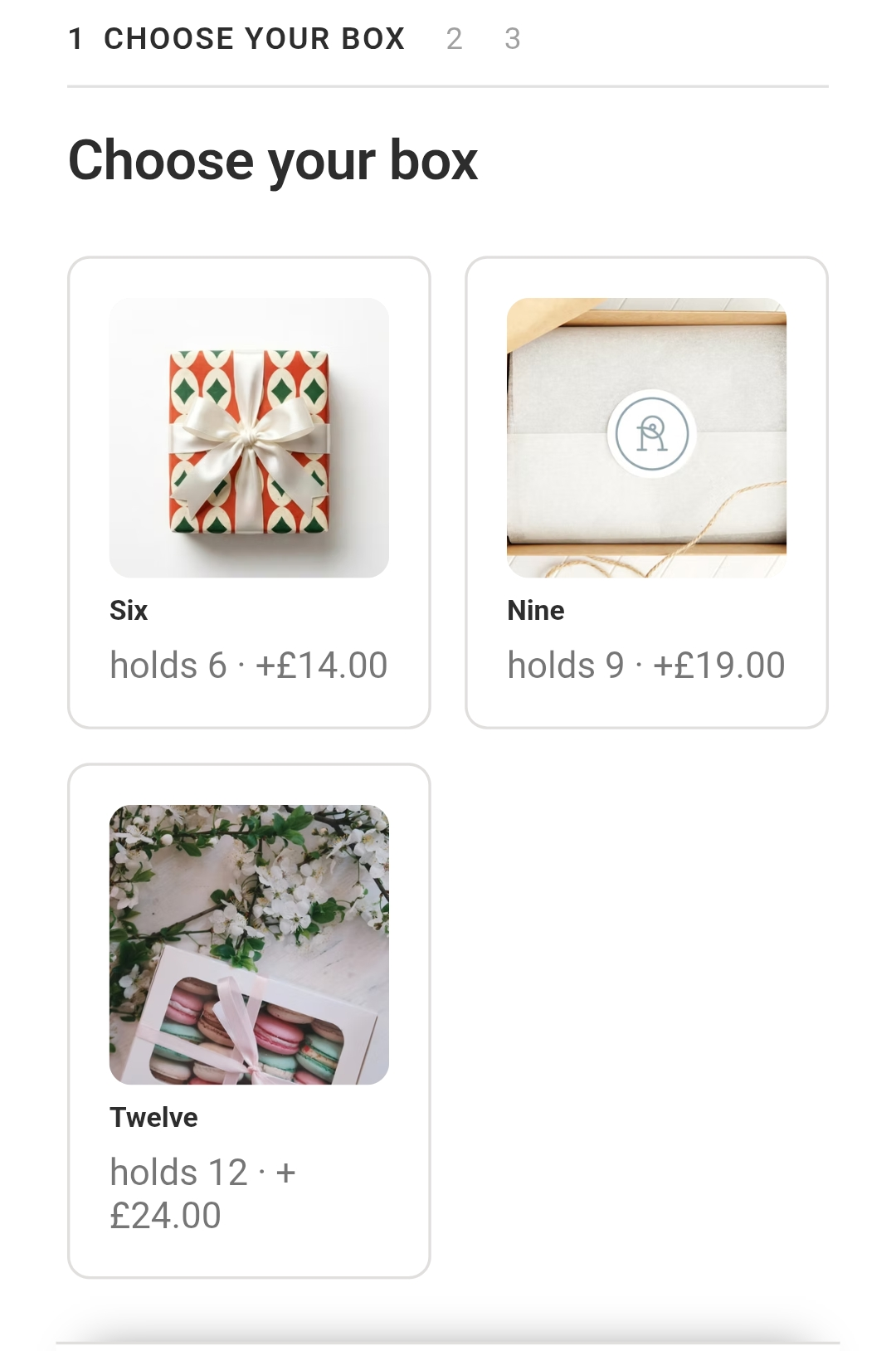
The four steps of a box: choose your box, finishing touches, fill it, and what shall we write in the card
Four steps, in your own words — and a step that only appears when it is relevant.

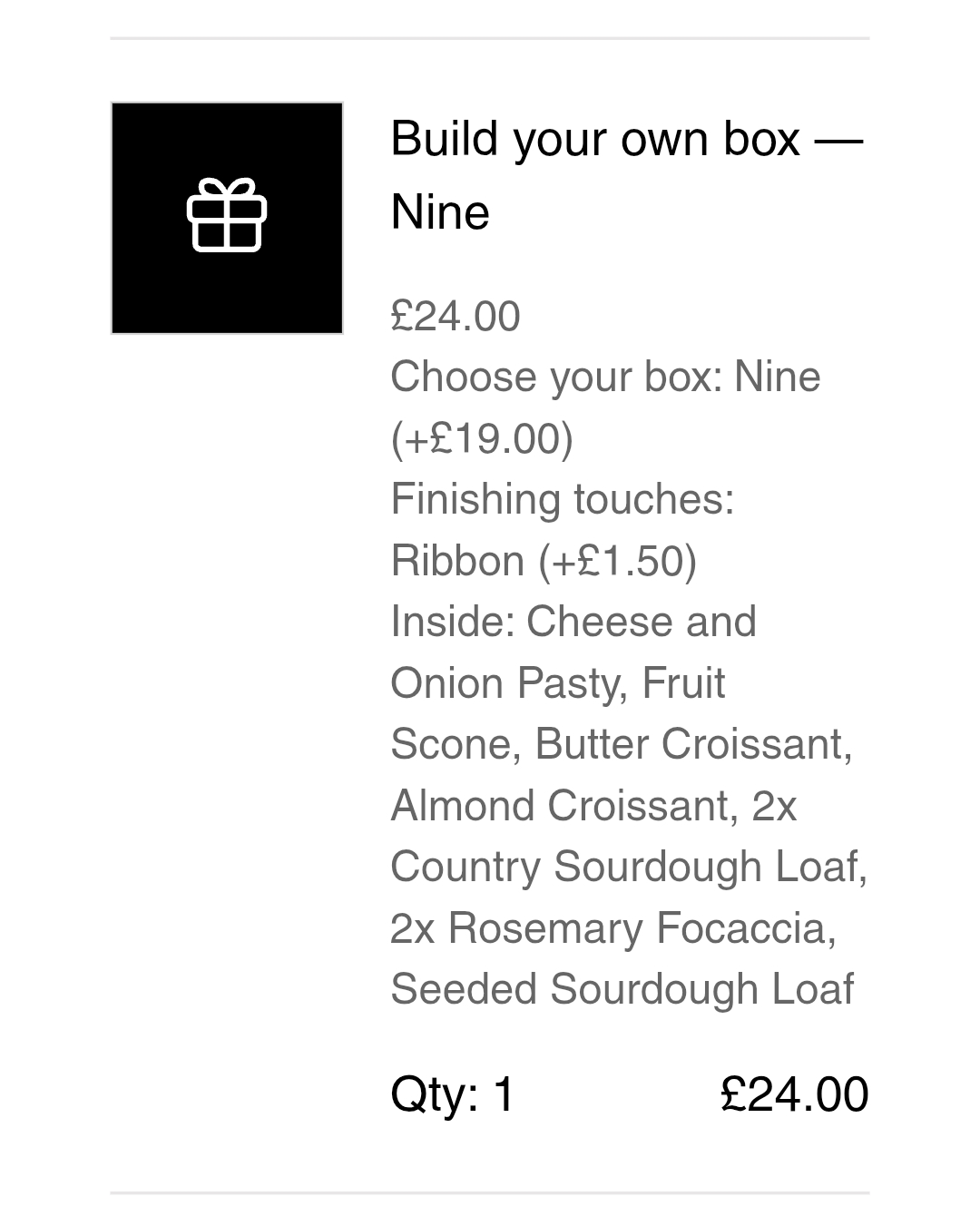
One line in the basket. A list on the order.

A built box reaches your basket as a single line at a single price, which is what your customer expects to see. On your order it arrives as exactly what is inside it, so the person packing does not have to ask.

And the shelf keeps up: what goes into a box comes off your stock when the box sells, and goes back if the order is cancelled. Wix does not do that by itself for a box like this — it is the single thing most likely to be quietly wrong in any app of this kind.

A Wix order showing one box line, with the contents of the box listed beneath it
One line, one price, and no guessing at the packing bench.

Your products, your rules

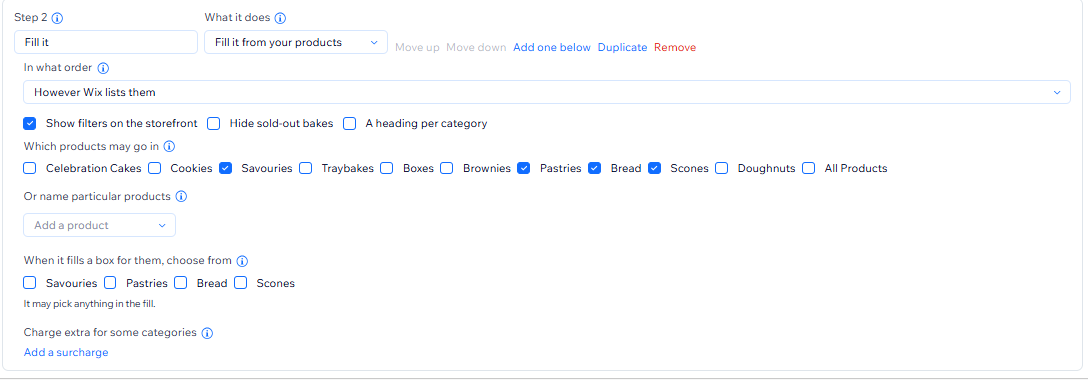
Decide what may go in by category or by name. A category keeps up with itself as you add stock, where a list of named products quietly goes out of date.

  • Charge more for a premium line. Twenty-four pounds for any twelve, but a celebration slice adds fifty pence.
  • Order the grid how you like — including by what actually sells, worked out from your own orders.
  • Narrow a long list. Show a category list down the side so a fill of forty is browsable.
  • Nudge a bigger box where one would fit, in your own words, and see how many took it.
  • Make it look like your site. Colours and type, ready-made themes, or your own CSS.
The box editor: a step that fills the box from chosen categories, with sorting, filters and a surcharge rule
Scope the fill, price the premium lines, and choose how it is ordered.

Boxes begun, and boxes bought

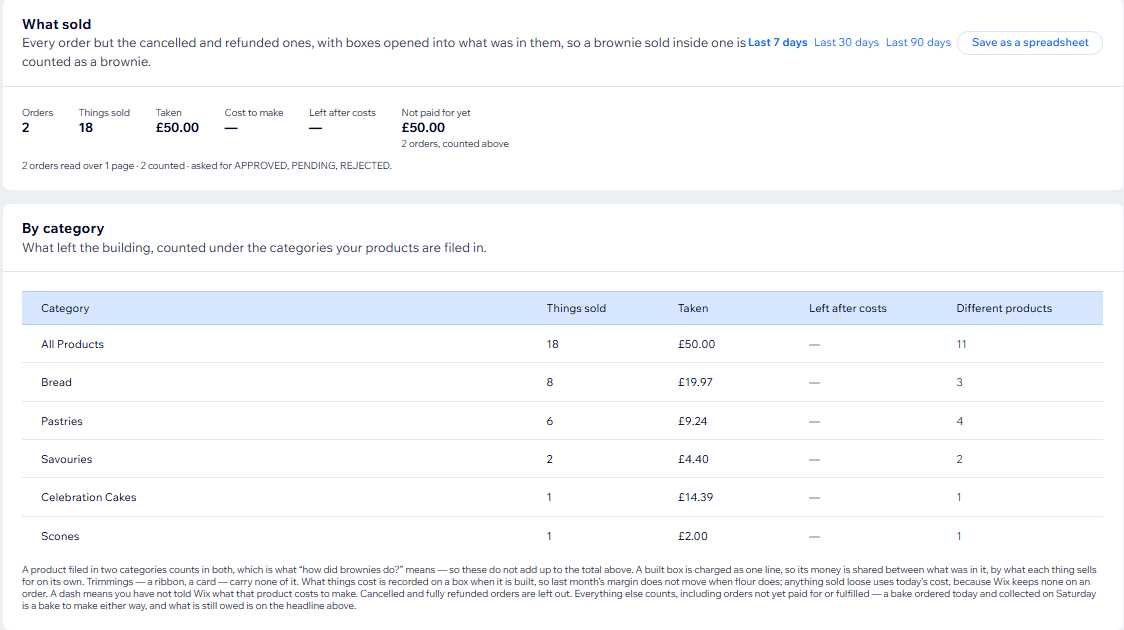
The number no order report can give you. A finished box is a line on an order; an abandoned one is nothing at all, so it has to be counted as it happens — and it is.

Alongside it: how many customers took a bigger box, how many of those took your nudge, and what sold with every box opened into its contents — so you can see which of your products people actually put in boxes, rather than buy on their own.

A sales report with boxes opened into their contents, counted by category
Every box opened into what was in it.

What it does not do

It stays out of the rest of your shop.

Packhouse Build asks to read your products and your orders, and to add a line to a basket. That is the whole of it.

  • It does not rewrite your products.
  • It does not change your checkout.
  • It does not edit your orders.
  • It does not touch your customer list.

Most apps in this category ask for a good deal more. If you also want collection times, baking lists or allergen checks, those are a different app — Bakehouse Collect, from the same workshop.

Requirements

What you need before you start.

  • Wix Stores, with products that have photographs and prices.
  • The Wix CMS on your site, which is free. Packhouse Build keeps your boxes and settings in your own site rather than on our servers — if it is not there yet, the app says so and links you to it.
  • A page for the box, if you would like customers to be able to reopen one from the basket. A builder that lives only on a product page has nowhere to send them back to.

Price

One plan. Free for fourteen days.

No tiers. Packhouse Build does one thing, and a boundary drawn through a single feature is a boundary drawn to annoy people into paying.

Everything above, on every plan, from the first day of the trial.

Contact

Ask us anything about it.

A real person reads these. If you are asking whether it will work for what you sell, say what you sell — that is usually the whole answer.

We use what you send here only to answer you. See the privacy policy.